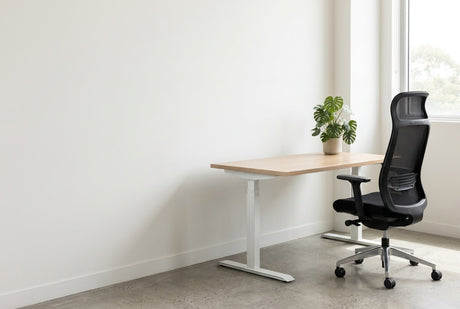
The new sit-stand desks go in over the weekend, and on Monday someone presses the up button for the first time. The monitor cable pops out of the dock, the power board lifts off the carpet and swings by its lead, and a charger slides off the back edge. Good cable management means every lead either rides with the desk or runs to the floor in one controlled bundle.
Below we compare trays, spines, grommets and desk power from our cable management and power range.
Map the cables before you buy anything
List every lead under one desk, from monitors and dock to chargers and the network cable. Note where power and data come in: wall outlet, floor box or ceiling pole.
Monitor leads and chargers stay with the desk, so keep them off the floor. Usually only one power lead and one data cable travel to the building, and those belong in one controlled run.
| Option | Best for | Watch for | Example in our range |
|---|---|---|---|
| Under-desk cable tray | Power boards and spare cable on single or sit-stand desks | Width must clear the legs and frame | Telescopic Desk Mount Cable Tray, $81 |
| Cable basket kit | Rows of desks sharing one power feed | Power only, so data needs its own route | Single Tier Cable Basket Kits, from $123 |
| Cable spine | The desk-to-floor run on height-adjustable desks | Fixing screws are not included | Desk To Floor Snake, $50 |
| Desk grommet | Dropping monitor and laptop cables into the tray | Needs a cut-out in the top | Cable Port for Worktop |
| Clamp-on power board | Power, USB and data on the desk edge | Uses some desktop surface | Power Board Desk Clamp, $216 |
| Pop-up power module | Clear tops in training rooms and hot desks | Links to a basket, rail, wall starter or power pole kit | Pop-Up Power Modules, from $197 |
Under-desk trays and baskets: where cable management starts
An under-desk tray is the workhorse. It gives power boards, transformer bricks and spare cable somewhere to live, and because it is fixed to the desk, everything in it rides up and down with a sit-stand frame.
The Telescopic Desk Mount Cable Tray ($81) extends from 1100mm to 1700mm wide. Inside, it measures 115mm deep and 81mm high, with provisions for up to four 4GPO modules or eight data tiles. It comes in black satin or white satin powder coat with a 10 year warranty.

Wire baskets do the same job in open mesh, with cables easy to reach. The Single Tier Cable Basket Kits (from $123) bundle the basket and brackets with a GPO on a clip and an interconnecting lead. Widths are 650mm, 950mm, 1250mm and 1550mm, with two or four GPOs in white or black. They carry power only.
On a sit-stand desk, check where the crossbar and motor sit before you mark any screw holes.
Cable spines and slack for sit-stand desks
On a height-adjustable desk, the bundle to the floor has to stretch as the desk rises and gather neatly as it drops. A cable spine guides it in one flexible column.
The Desk To Floor Snake ($50) is 1300mm long, 67mm wide and 35mm deep, in black or white plastic. A weighted foot holds one end on the floor, and the other end screws to the underside of the desktop (screws not included). Four segregation channels keep cords apart so they do not tangle, and it carries a 3 year warranty.

Set the slack at the top of the travel, not the bottom. Raise the desk to its highest setting, route each cable and tie it off with a little spare. Then lower the desk and check the extra length folds into the tray or spine instead of looping onto the floor.
Keep the moving bundle small: with everything plugged into a board in the tray, only its lead and one data cable travel. Browse our standing and height-adjustable desks with that single run in mind.
Grommets and desk power modules
A desk grommet is a lined hole that drops monitor and laptop cables straight into the tray. Our Cable Port for Worktop is cut-out mounted and suits fixed-height and height-adjustable desks. On a sit-stand desk against a wall, cables draped over the back edge can catch as it moves. If you are adding monitor arms too, our guide on how to choose a monitor arm covers the desk mounts that share that space.
Desk power puts outlets within reach, so nobody crawls under the desk. It can go in three places.
- On the desk edge. The Power Board Desk Clamp ($216) has four AU/NZ power points, one USB-A and one USB-C port, and two RJ45 data points. It adds surge suppression with a safety reset, an illuminated switch and a 3 metre cable that accommodates height-adjustable desks.
- In the desktop. Pop-Up Power Modules (from $197) come as 2GPO or 1GPO plus 2 USB, in black or white, and fold away when not in use. Anything set into a worktop needs a cut-out, so settle its position early.
- Under the desk. A board in the tray keeps plugs out of sight. It suits monitors and docks, but it is an awkward reach for anything plugged in daily.

A practical mix is a tray-mounted board for fixed gear, plus one reachable outlet for laptops and phones.
Shared workstations: one power feed, many desks
In a two-, four- or six-person cluster, plan cable management as one system. Usually a single feed comes from a wall, floor box or ceiling, then travels under each worktop along the run.
Each basket kit connects to a wall starter, an adjoining cable basket or a power pole kit. The pop-up modules plug into the same system, linking to a cable basket, adjoining power rail, wall starter or power pole kit.
Match basket widths to the worktops and note the included lead: 1500mm with the 650mm and 950mm kits, 2000mm with the 1250mm kit and 2500mm with the 1550mm kit. Check each lead reaches the next basket across any gap. If you are choosing workstations with screens, map the power route with the layout, before the desks go in.
Cable management in Australian offices
If new desks are on the order for the new financial year, put the cable gear on the same order so trays and spines go on during set-up.
Many Australian offices are leased, and moving power points or adding floor boxes is fit-out work, not a furniture order. A tray, a spine and a clamp-on board stay with the desk and move with it.
Safe Work Australia lists uncovered electrical cables among the common causes of slips, trips and falls. Businesses must eliminate or minimise those risks so far as is reasonably practicable. Fire and emergency agencies also warn against connecting power boards or double adaptors together. Installing or moving power points is licensed electrical work, so leave fixed wiring to a licensed electrician.
Cable management — frequently asked questions
How do you manage cables on a standing desk?
Fix everything you can to the desk, then run one bundle to the floor through a cable spine. Plug everything into a board in an under-desk tray, so only its lead and the data cable move.
Do I need a cable spine for a sit-stand desk?
Not strictly, but a spine is the neatest way to control the cables that move. Without one, the bundle to the floor tends to swing and catch on the frame.
How much slack should cables have on a height-adjustable desk?
Each cable needs enough length to reach its outlet with the desk at its highest setting, plus a little spare. Tie them off with the desk fully raised, then lower it to check.
What is the difference between a cable tray and a cable basket?
A cable tray is a solid channel, while a cable basket is open wire mesh. Trays hide more, and baskets make cables easier to see and reach. Both mount under the worktop, so on a sit-stand desk they move up and down with it.
Shop the range
Start with our cable management and power range for trays, baskets, spines and desk power, then match them to standing and height-adjustable desks. For desks between 1100mm and 1700mm wide, the Telescopic Desk Mount Cable Tray is a sensible first piece. Metro delivery is a flat $75 per order, and prices include GST.