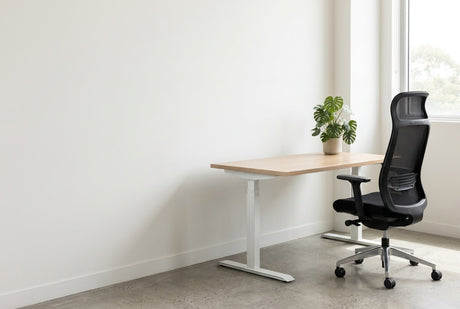
It is three o'clock on a Wednesday. Your shoulders have crept up towards your ears, your chin is pushed forward at a laptop, and one foot is hooked around the chair base because the seat is too high. Nothing is broken. The chair, desk and screen have never been set to fit you. A good ergonomic desk setup is a short run of adjustments in the right order: chair, desk, screen, then keyboard.
This checklist follows that order and names the adjustable furniture behind each step, starting with ergonomic task chairs.
Step 1: set the chair before anything else
Everything else is measured from how you sit. Set the seat height so your feet rest flat on the floor and your thighs are roughly level. Slide the seat until two or three fingers fit between its front edge and the back of your knees. Then bring the lumbar support into the small of your back.
Not every chair has all three adjustments. The Chelsea Ergo Task ($208) does: a seat height of 430mm to 530mm, a synchronised mechanism with a seat slide, and 100mm of lumbar adjustment. It has a mesh back, supports 120kg and carries a 5-year warranty.
Seat height range is the number to compare. The Motion Sync Chair with Lumbar (from $430) adjusts from 480mm to 590mm, so it starts 50mm higher than the Chelsea and finishes 60mm higher. That suits taller people, while shorter people get their feet flat more easily on the lower chair. It also has a synchro tilt and a seat slide, with a 160kg capacity, an eight-hour comfort rating and a 10 year warranty.

Step 2: armrests and desk height
Let your upper arms hang and bend your elbows to about a right angle. Armrests should sit just under the elbows without lifting your shoulders. If they hit the desk edge and stop you pulling in close, lower them or go without. The Motion Sync comes with height adjustable armrests or none.
Your forearms should now be level with the worktop. A fixed desk gives you one height. If it is too high for you, raising the chair to meet it lifts your feet off the floor.
A height-adjustable desk solves it from the other side. The Dynamo Plus Electric Height Adjustable Single Workstation (from $667) travels from 620mm to 1270mm. A shorter person can lower the worktop to their elbows instead of raising the chair. Its 4 point memory control saves preferred heights, and it has dual motors, a 140kg capacity and a 10-Year warranty on frame and electronics. The height-adjustable desks collection also has crank and mobile models.

Step 3: screen distance and height, with dual monitors and laptops
Sit back and reach forward. Safe Work Australia's workstation set-up infographic puts the screen about one arm length away, directly in front, with your eye level slightly below the top of the screen. Many monitors sit too low on their own stands.
A monitor arm makes both measurements adjustable. The Linea Single Monitor Arm ($116) holds a 17 to 35 inch screen weighing 2kg to 9kg on a mechanical spring. It fits 75mm and 100mm VESA patterns, tilts from -90° to 15° and includes clamp and grommet fixings. Weigh your screen without its stand first. The guide to choosing a monitor arm explains VESA patterns and desk mounts.

If you use two screens equally, put the join directly in front of you. If one does most of the work, put it straight ahead and angle the second beside it. Keep both at the same height and distance, so your eyes are not refocusing with every glance.
The Gladius Double Monitor Arm ($184) gives each screen its own gas-lift arm, so different sized monitors line up in the same focal plane. Each arm takes a display up to 30 inches weighing 2kg to 9kg. Wider screens belong on a single arm from the monitor arms collection.
A laptop fails the screen test on its own, because screen and keyboard are joined. Either raise it until the screen is near eye height, or plug it into a monitor, then add a separate keyboard and mouse. The Athens Monitor Riser ($60) is a laminate stand for a standard screen, 600mm wide, 350mm deep and 175mm high. The lift is fixed at 175mm, so it suits one person's desk better than a shared one, where an arm adjusts for each user.

Step 4: keyboard, mouse, light and cables
Put the keyboard directly in front of you with the mouse beside it, close enough that your elbows stay near your sides and your wrists stay straight.
Then look at the screen while it is switched off. If a window or ceiling light is reflected in it, turn the desk side-on to the window or tilt the screen.
Cables matter most on a sit-stand desk, where every lead must travel the full height range without pulling tight. The Dynamo Plus Cobra Snake ($58) guides cables from desk to floor and stays quiet as the desk moves. Each unit is 1.08m long and units can be combined, which matters under a desk that rises to 1270mm: one unit is shorter than the top of that range.
The ergonomic desk setup checklist
Work down the list in order, because each step depends on the one before.
| Step | What to check | What adjusts it |
|---|---|---|
| Seat height | Feet flat, thighs roughly level | Gas lift range |
| Seat depth | Two or three fingers behind the knee | Seat slide |
| Backrest | Support in the small of the back | Adjustable lumbar |
| Armrests | Under the elbows, clear of the desk edge | Height adjustable arms, or none |
| Desk height | Forearms level with the worktop | Height-adjustable desk |
| Screen | One arm length away, eye level just below the top | Monitor arm or riser |
| Second screen | Same height and distance as the first | Dual monitor arm |
| Laptop | Screen raised, separate keyboard and mouse | Stand, or a monitor on a riser or arm |
| Keyboard and mouse | In front, close, wrists straight | Clear desk space |
| Sit and stand | Change position through the day | Saved desk heights |
| Light | No window reflected in the screen | Screen tilt, desk position |
| Cables | Slack for the full height range | Cable snake or tray |
Desk setup in Australian offices and home offices
In many Australian offices a desk is now shared by different people across the week, so it has to reset quickly. That means saved heights on the desk, levers on the chair and a monitor arm that moves by hand.
Light is the other local factor. Strong afternoon sun through a west-facing window is a common source of screen glare, in a Perth office tower or a Brisbane spare room. Place desks side-on to the glass and use blinds.
Deliveries go to the ground-floor entrance, and goods arrive flat-packed unless the product page says assembled. Each product page has a Delivery line naming its metro cities. The Athens riser lists Sydney, Melbourne, Brisbane and Perth, and the other six products add Adelaide.
Ergonomic desk setup — frequently asked questions
What is the correct height for an office chair?
The correct height puts your feet flat on the floor with your thighs roughly level. Compare seat height ranges: 430mm to 530mm on the Chelsea Ergo Task, 480mm to 590mm on the Motion Sync.
How far away should a computer monitor be?
About one arm length is the usual starting point, with the screen directly in front of you. Adjust from there until text reads comfortably without leaning forward.
Is it better to sit or stand at a desk?
Neither is better for a whole day; changing between the two is the aim. Saved desk heights make the change quick.
How do I make a laptop ergonomic at a desk?
Raise the laptop so its screen sits near eye height and add a separate keyboard and mouse. The other route is to plug the laptop into a monitor on a riser or arm.
Shop the range
Start with ergonomic task chairs, then add a desk from height-adjustable desks and a mount from monitor arms. The products in this checklist:
- Chelsea Ergo Task ($208): shorter users and tighter budgets, with a seat that drops to 430mm
- Motion Sync Chair with Lumbar (from $430): taller users and long days, with optional height adjustable armrests
- Dynamo Plus Electric Height Adjustable Single Workstation (from $667): desk height set to your elbows, sitting or standing, from 620mm up
- Linea Single Monitor Arm ($116): lifting one 17 to 35 inch screen of up to 9kg
- Gladius Double Monitor Arm ($184): lining up two screens of different sizes at one height
- Athens Monitor Riser ($60): a fixed 175mm lift for a standard screen on one person's desk
- Dynamo Plus Cobra Snake ($58): sit-stand desks where cables must follow the worktop up and down
Metro delivery is a flat $75 per order, and prices include GST.